
Once Eclipse is installed with the ADT (ABAP Development Tools), it's time to use it.
Open the ECLIPSE application.
You must log in to the SAP system you wish to use. The first time you log in, you'll need to specify the system's technical details. For future access, the system will already be configured, and you'll only need to provide your credentials.
To configure the connection, you need to create a project:
Eclipse menu -> File -> New -> Project
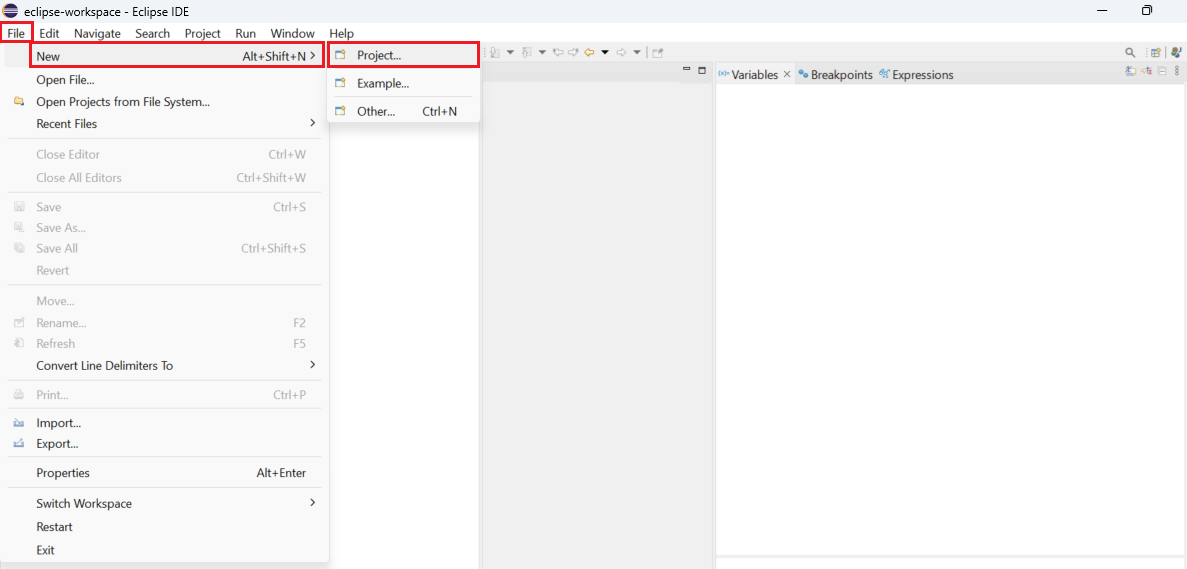
In the wizard, select the type of project to create.
ABAP -> ABAP Project
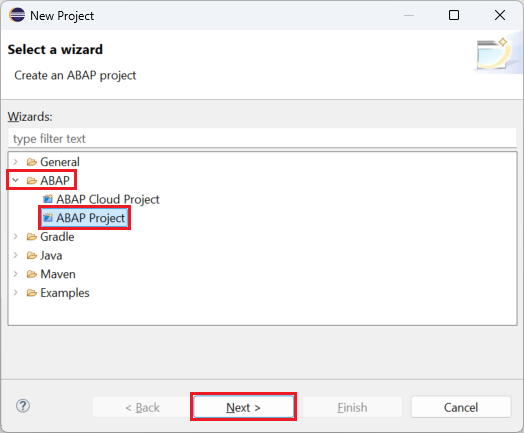
Select the next button.
Select the SAP system you want to connect. Normally to the development system.
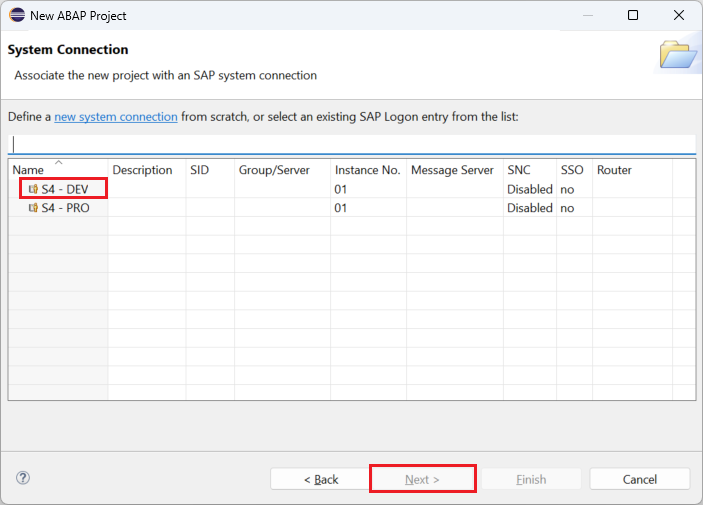
Select the next button.
The following screen shows the technical information for connecting to the system; no further information is required.
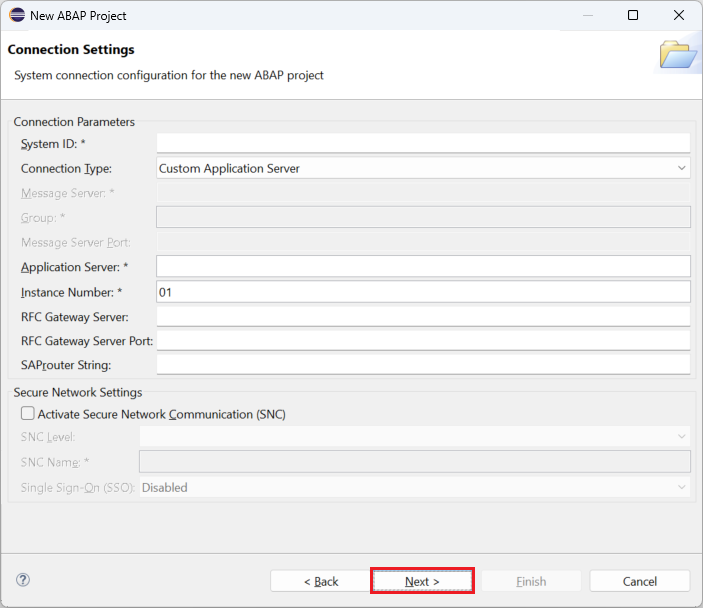
Select the next button.
Enter your login credentials, User and Password.
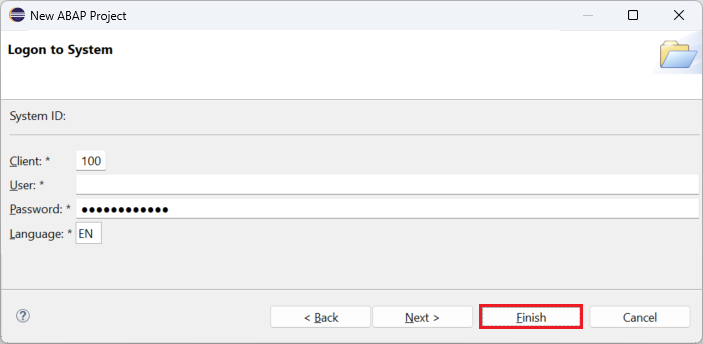
Select the finish button.
The connection to the SAP system is configured.
If you need to connect to another system, repeat the previous steps.
The Project Explorer will display all existing projects. Double-click the project you want to edit.
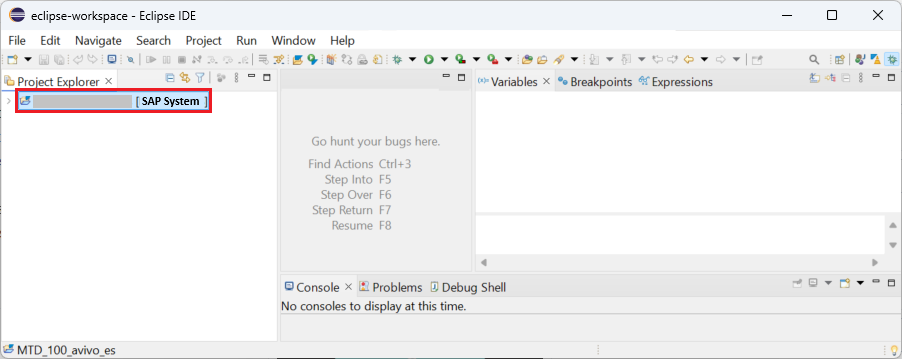
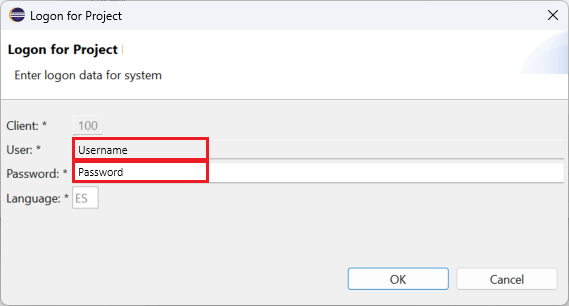
If necessary, the system will request access credentials.
It is possible to navigate through the different folders in the explorer.
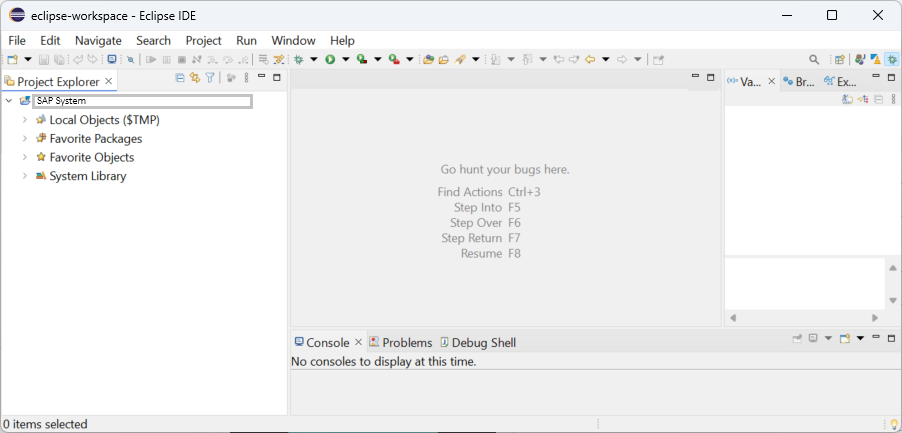
With these steps, it is possible to access the SAP system from Eclipse.