
We want to expand the Stock - Multiple Materials application with additional fields.
These additional fields will be part of the material master, meaning we want to include our own data in the material master.
There is an application in SAP that allows you to define these fields and activate them so that Fiori applications can manage them. The link contains the reference for the application in the Fiori Library App.
Related FIORI APP - Custom Fields and Logic
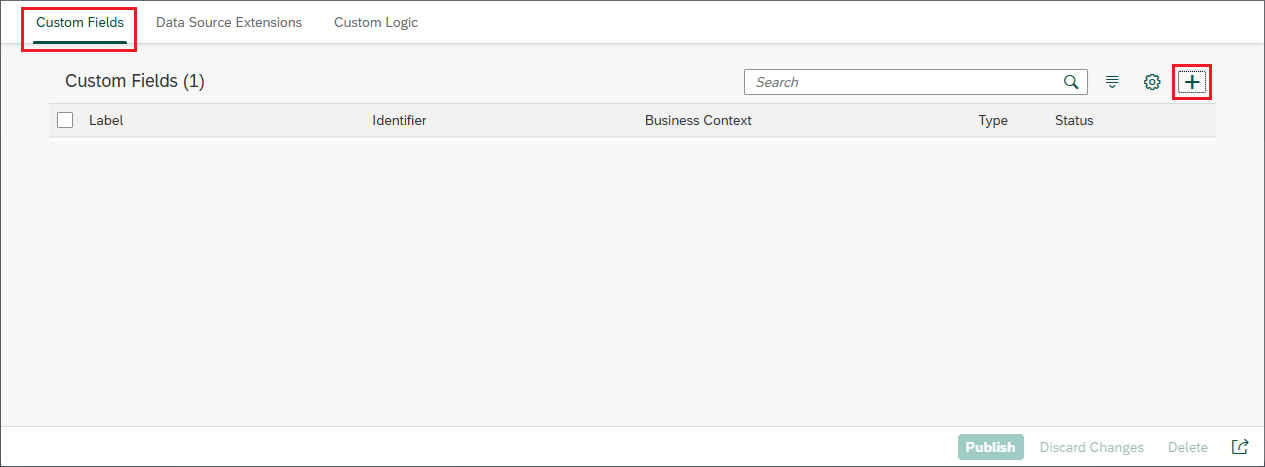
You need to have the first tab, "Custom Fields", selected.
The first thing you need to do is create the new field by clicking the + button in the top right corner of the screen.
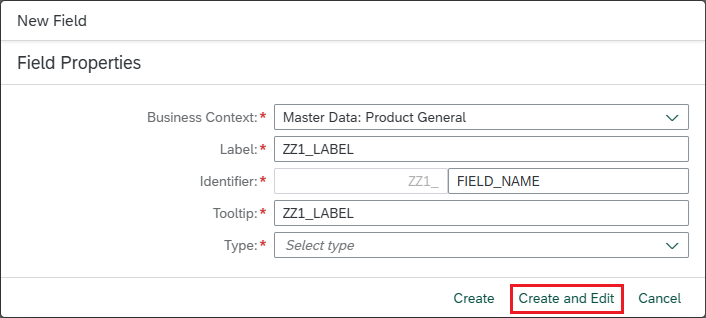
In the popup:
- Select the Business Context: Using the drop-down list, in this case since it is about expanding the material master, the option "Master Data: Product General" has been selected.
- Insert a label: Field label
- Insert an identifier: Field technical name.
- Insert a tooltip: Field info
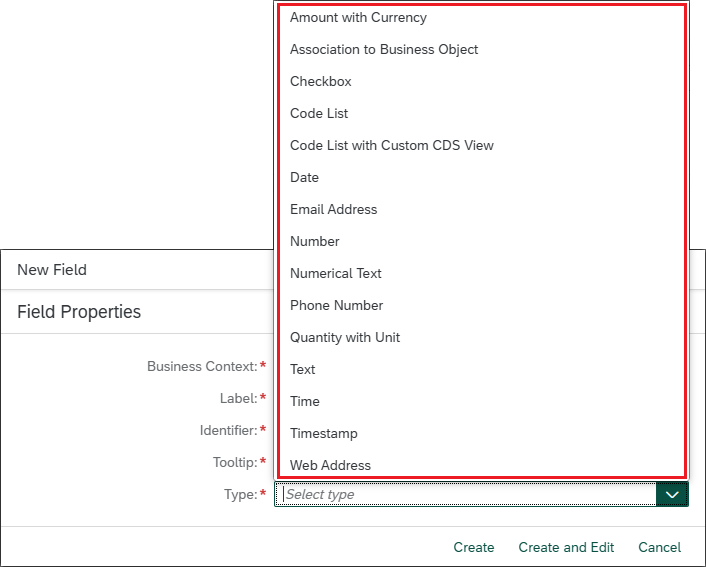
- Select the data type: Type of data that the field will contain
There are different types of data, and it is necessary to select one that suits the needs of the data to be managed.
Clicking "Create and edit" will create the field and open the editor for the field.
There is nothing to do on the "General Information" tab.
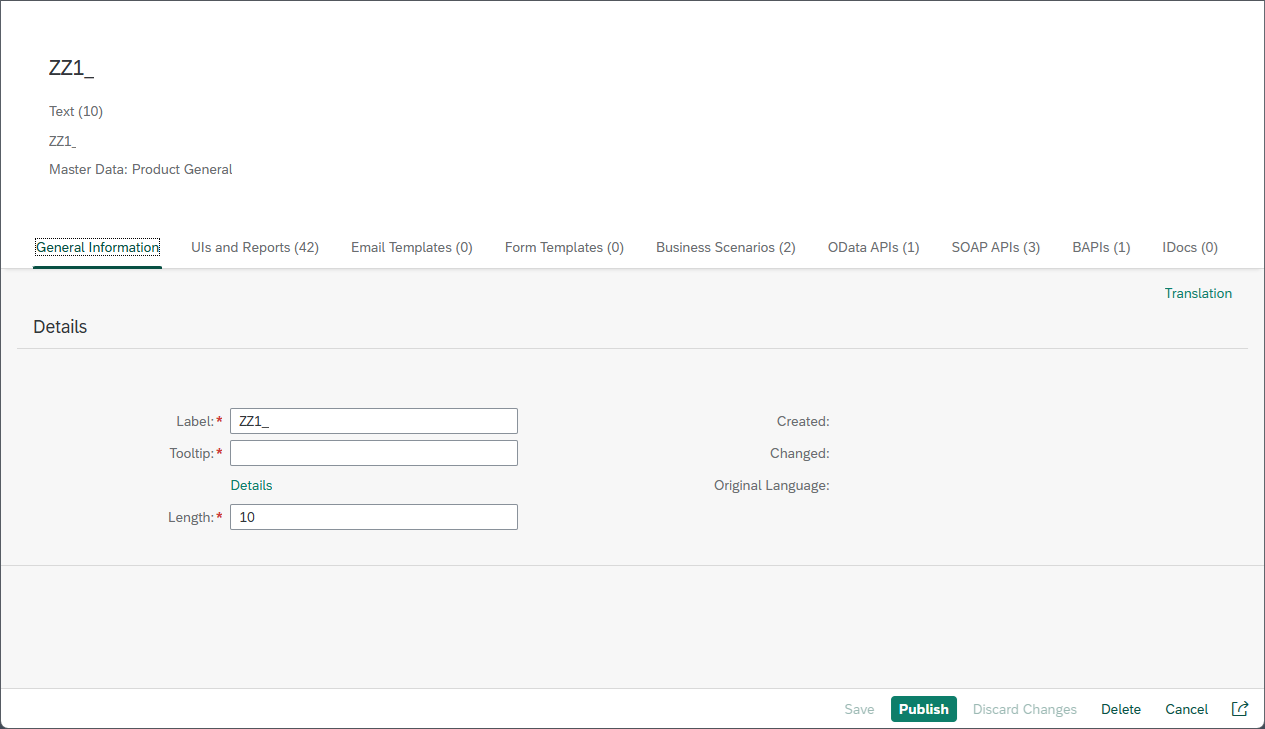
Cambiar a la pestaña "UIs and Reports"
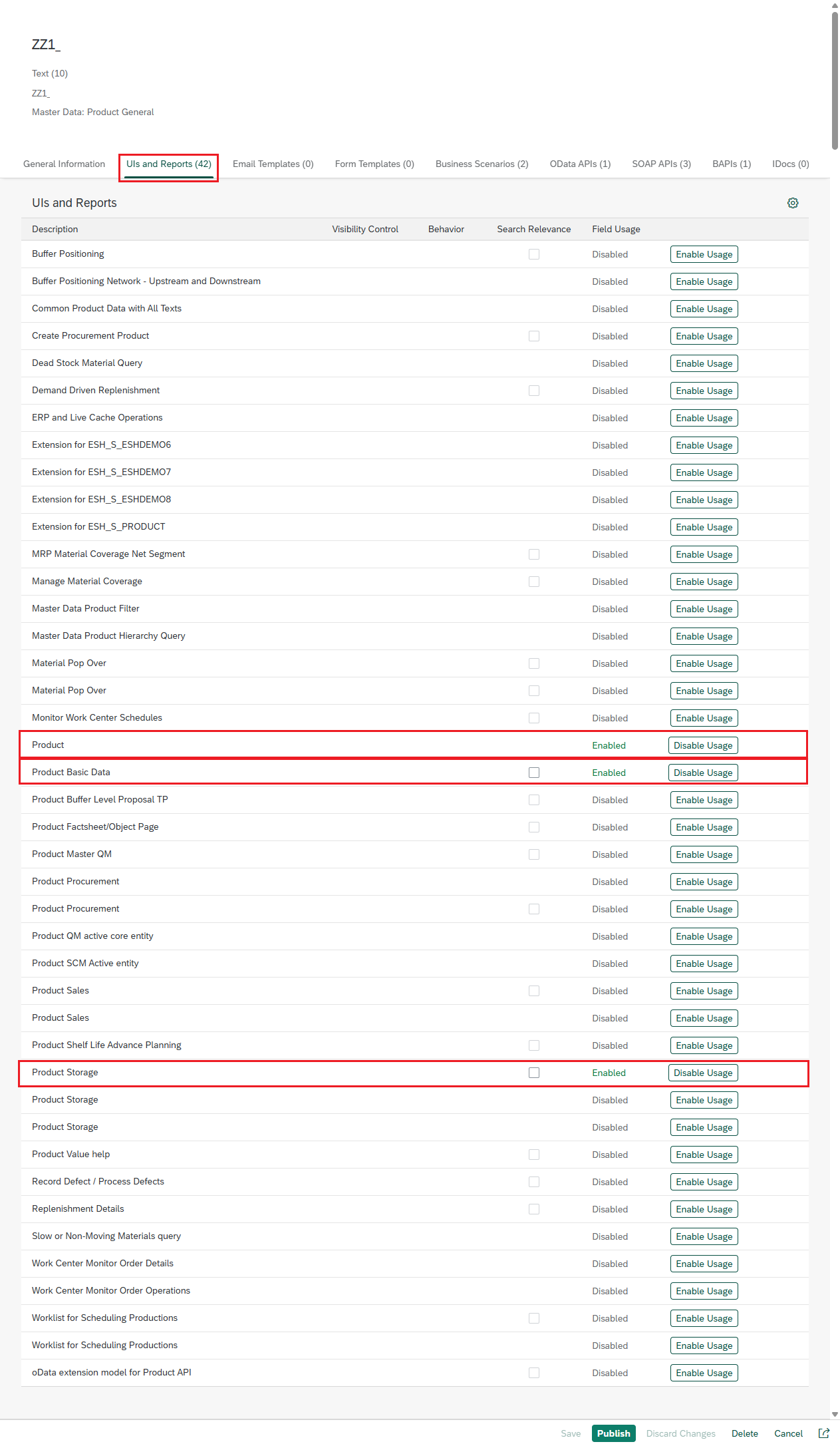
In the "UIs and Reports" tab, you can activate the field's usage location. In this case, since it must be used in the material master, the following options have been activated:
- Product
- Product Basic Data
- Product Storage
Once you have finished managing your applications, you need to save your changes.

and activate the custom field.

Now the new field is created in the system.